
Finding a Docking Station That Actually Works
Our team uses AI to gather and suggest products, but our experts ensure every recommendation meets our high standards.

Key considerations
Thunderbolt Hubs For Power Users


Sabrent Thunderbolt Hub
Best high-speed hub for creative professionals needing multi-monitor setups.
This hub is the ultimate desk-clearing solution for power users who demand high-speed connectivity without the clutter. You sacrifice a few extra ports for a sleek, minimalist footprint that handles dual 4K displays and rapid charging through a single, high-performance cable.

Sonnet Echo Thunderbolt 4 Dock
Best high performance connectivity hub for creative professionals needing integrated storage.
This is the ultimate desktop anchor for power users who are tired of juggling dongles. By consolidating high-speed data, 8K display support, and 90W charging into one sleek hub, it turns a chaotic desk into a streamlined command center. You sacrifice a bit of portability, but you gain a permanent, clutter-free workspace.
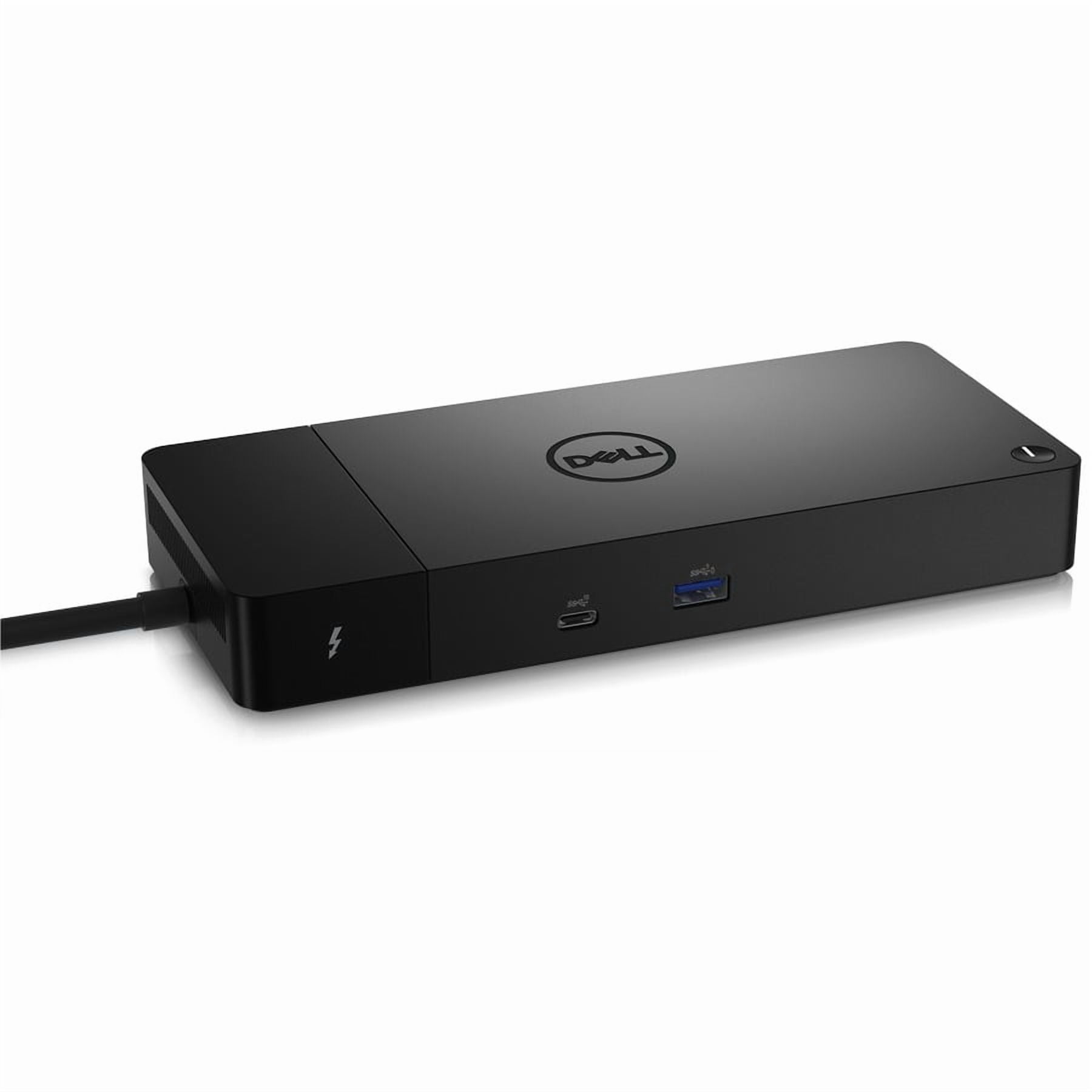
Dell WD22TB4 Thunderbolt 4 Dock
Best high performance docking station for professional multi monitor setups.
This modular hub is built for the long haul, letting you swap out components as your tech needs evolve rather than replacing the entire unit. While it prioritizes enterprise-grade reliability and massive multi-monitor support over a compact footprint, it remains the smartest way to declutter a demanding workstation.


OWC Thunderbolt Go Docking Station
Best high-speed hub for mobile professionals needing versatile workstation connectivity.
This is the rare dock that bridges the gap between a permanent desk setup and life on the road. By ditching the bulky external power brick, it offers true portability without sacrificing the high-speed connectivity needed for a serious workstation. It’s the ultimate clutter-killer for anyone who refuses to be tethered to one spot.
| Product | Overall rating | Price | Best for | Skip if | Host connection type | Number of display outputs | Max resolution supported | Power delivery wattage | Usb a port type | Usb c port type | Video output port type | Ethernet port speed | Card reader type | Audio port type | Operating system compatibility | Security lock slot | Verdict |
|---|---|---|---|---|---|---|---|---|---|---|---|---|---|---|---|---|---|
|
Top Pick
4.7
|
Best high-speed hub for creative professionals needing multi-monitor setups. |
- |
Thunderbolt 4, USB-C |
2.0 |
4K UHD, 8K UHD |
60.0 |
USB 3.1 Gen 2 |
Thunderbolt 4 |
HDMI, DisplayPort |
- |
- |
- |
Windows, macOS |
- |
This hub is the ultimate desk-clearing solution for power users who demand high-speed connectivity without the clutter. You sacrifice a few extra ports for a sleek, minimalist footprint that handles dual 4K displays and rapid charging through a single, high-performance cable. |
||
|
Runner Up
4.6
|
Best high performance connectivity hub for creative professionals needing integrated storage. |
- |
Thunderbolt 4 |
2.0 |
8K UHD |
90.0 |
USB 3.1 Gen 2, USB 2.0 |
Thunderbolt 4 |
- |
Gigabit Ethernet |
SD Card |
3.5mm Combo Jack |
Windows, macOS |
- |
This is the ultimate desktop anchor for power users who are tired of juggling dongles. By consolidating high-speed data, 8K display support, and 90W charging into one sleek hub, it turns a chaotic desk into a streamlined command center. You sacrifice a bit of portability, but you gain a permanent, clutter-free workspace. |
||
|
Runner Up
4.4
|
Best high performance docking station for professional multi monitor setups. |
- |
Thunderbolt 4 |
4.0 |
8K UHD |
180.0 |
- |
Thunderbolt 4 |
HDMI, DisplayPort |
Gigabit Ethernet |
- |
3.5mm Combo Jack |
Windows, macOS, Linux |
Yes |
This modular hub is built for the long haul, letting you swap out components as your tech needs evolve rather than replacing the entire unit. While it prioritizes enterprise-grade reliability and massive multi-monitor support over a compact footprint, it remains the smartest way to declutter a demanding workstation. |
||
|
Runner Up
4.5
|
Best high-speed hub for mobile professionals needing versatile workstation connectivity. |
- |
Thunderbolt 4 |
2.0 |
8K UHD |
- |
USB-A |
Thunderbolt 4 |
HDMI |
2.5 Gigabit Ethernet |
- |
3.5mm Combo Jack |
Windows, macOS, ChromeOS |
- |
This is the rare dock that bridges the gap between a permanent desk setup and life on the road. By ditching the bulky external power brick, it offers true portability without sacrificing the high-speed connectivity needed for a serious workstation. It’s the ultimate clutter-killer for anyone who refuses to be tethered to one spot. |

Standard Usb C Options


Targus Universal USB-C DV4K Docking Station
Best dual-monitor solution for professionals needing a streamlined, powered workspace.
This powerhouse turns a single cable into a full-blown workstation, effortlessly driving dual 4K displays while keeping your laptop charged. It sacrifices a bit of desk footprint for the sake of total connectivity, making it the ultimate anchor for a clutter-free, high-performance setup.
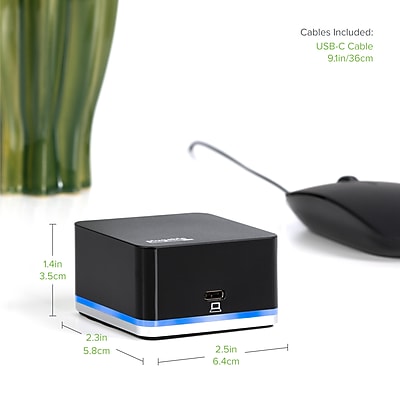

Plugable USB C Docking Station
Best multi-display docking station for power users and remote professionals.
This powerhouse turns a single cable into a full-scale workstation, effortlessly driving three 4K displays while keeping your laptop charged. It is the ultimate solution for heavy multitaskers, though you will need to rely on DisplayLink software to unlock that expansive screen real estate.
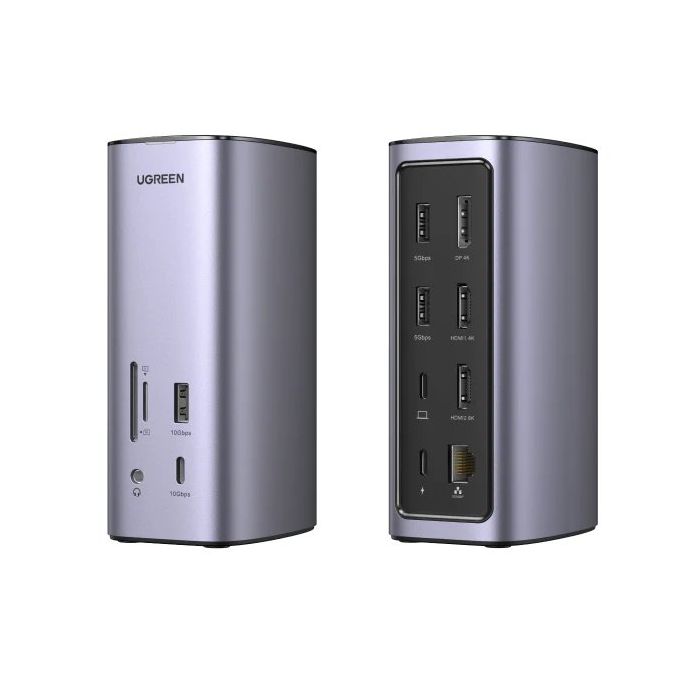

UGREEN USB-C Docking Station
Best multi-port hub for professionals managing complex, multi-monitor desktop setups.
This compact hub transforms a single port into a comprehensive workstation, supporting dual high-resolution displays and rapid data transfer. It simplifies cable management by consolidating power and peripheral connections into one durable, portable aluminum unit.
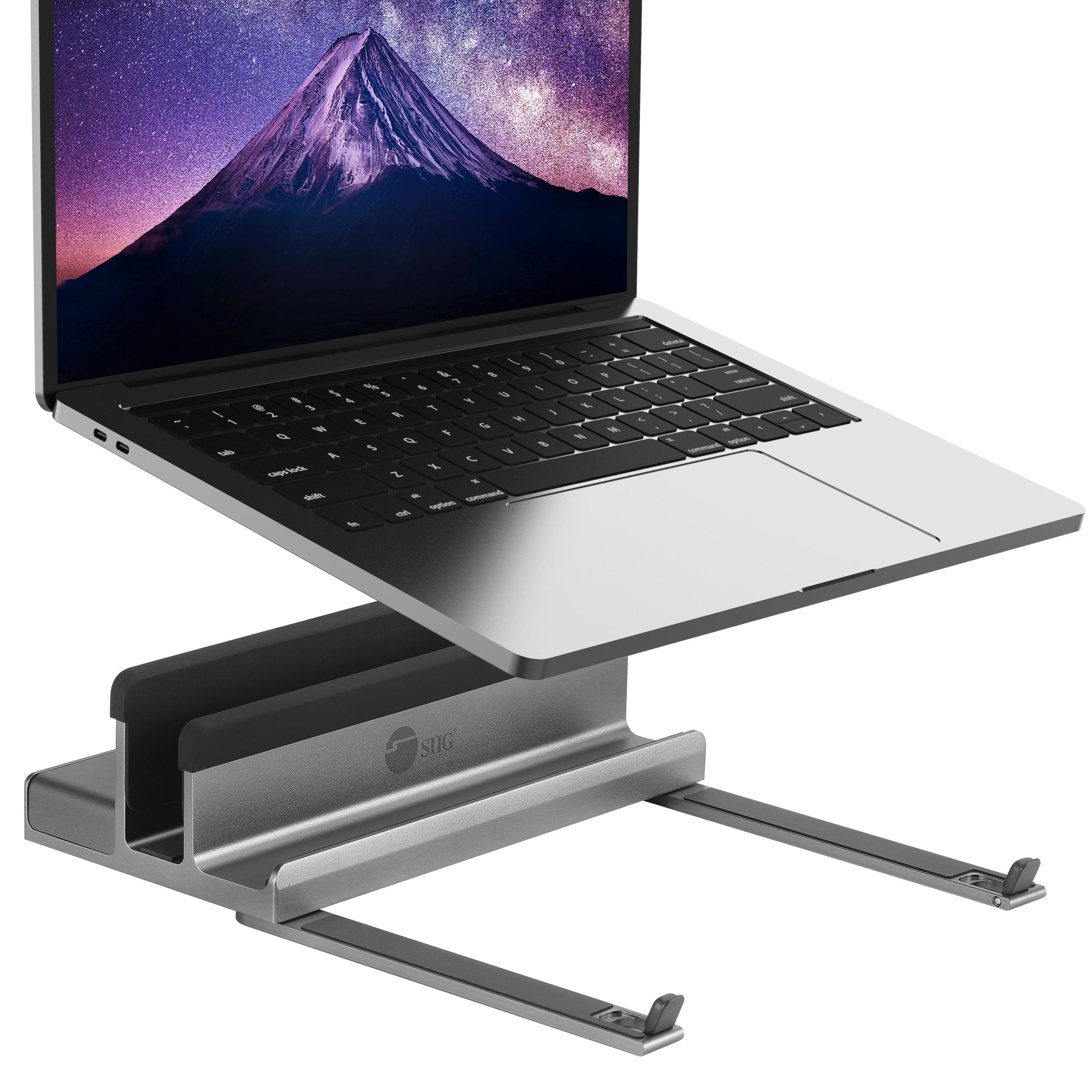

SIIG USB-C Laptop Stand with Docking Station
Best ergonomic workstation upgrade for remote professionals needing expanded connectivity.
This clever hybrid solves the clutter problem by merging an ergonomic riser with a full-featured hub. You sacrifice a bit of portability for a permanent, elevated desk setup that keeps your laptop charged and fully connected without the usual tangle of dongles.
| Product | Overall rating | Price | Best for | Skip if | Host connection type | Number of display outputs | Max resolution supported | Power delivery wattage | Usb a port type | Usb c port type | Video output port type | Ethernet port speed | Card reader type | Audio port type | Operating system compatibility | Security lock slot | Verdict |
|---|---|---|---|---|---|---|---|---|---|---|---|---|---|---|---|---|---|
|
Top Pick
4.4
|
Best dual-monitor solution for professionals needing a streamlined, powered workspace. |
- |
USB-C |
2.0 |
4K UHD |
65.0 |
USB 3.0 |
USB 3.2 Gen 1 |
HDMI |
Gigabit Ethernet |
- |
3.5mm Combo Jack |
Windows, macOS |
Yes |
This powerhouse turns a single cable into a full-blown workstation, effortlessly driving dual 4K displays while keeping your laptop charged. It sacrifices a bit of desk footprint for the sake of total connectivity, making it the ultimate anchor for a clutter-free, high-performance setup. |
||
|
Runner Up
4.5
|
Best multi-display docking station for power users and remote professionals. |
- |
USB-C, Thunderbolt 3 |
3.0 |
4K UHD |
100.0 |
USB 3.0 |
- |
HDMI, DisplayPort |
Gigabit Ethernet |
- |
3.5mm Combo Jack |
Windows, macOS, ChromeOS |
- |
This powerhouse turns a single cable into a full-scale workstation, effortlessly driving three 4K displays while keeping your laptop charged. It is the ultimate solution for heavy multitaskers, though you will need to rely on DisplayLink software to unlock that expansive screen real estate. |
||
|
Runner Up
4.4
|
Best multi-port hub for professionals managing complex, multi-monitor desktop setups. |
- |
USB-C |
3.0 |
- |
0.0 |
- |
- |
HDMI, DisplayPort |
- |
- |
- |
- |
- |
This compact hub transforms a single port into a comprehensive workstation, supporting dual high-resolution displays and rapid data transfer. It simplifies cable management by consolidating power and peripheral connections into one durable, portable aluminum unit. |
||
|
Runner Up
4.2
|
Best ergonomic workstation upgrade for remote professionals needing expanded connectivity. |
- |
USB-C, Thunderbolt 3, Thunderbolt 4 |
1.0 |
4K UHD |
100.0 |
USB 3.0 |
Thunderbolt 3, Thunderbolt 4 |
HDMI |
Gigabit Ethernet |
SD Card, MicroSD Card |
- |
- |
- |
This clever hybrid solves the clutter problem by merging an ergonomic riser with a full-featured hub. You sacrifice a bit of portability for a permanent, elevated desk setup that keeps your laptop charged and fully connected without the usual tangle of dongles. |
Connecting Multiple Displays

USB-C Universal Docking Station, Dual Monitor Displaylink Dock
Best dual-monitor hub for professionals needing streamlined workspace connectivity.
This is the ultimate cable-management solution for turning a minimalist laptop into a full-fledged workstation. While you sacrifice a bit of desk space for the hardware, you gain the massive convenience of dual 4K displays, high-speed data transfers, and reliable charging through a single, clutter-free connection.


StarTech.com USB-C & USB-A Dock
Best hybrid docking station for professionals needing versatile multi-device connectivity.
This hybrid dock is the ultimate peacekeeper for mixed-device offices, effortlessly bridging the gap between legacy USB-A gear and modern USB-C laptops. You sacrifice a bit of desk space for the sheer convenience of universal compatibility and high-speed charging, making it a reliable workhorse for any shared workstation.
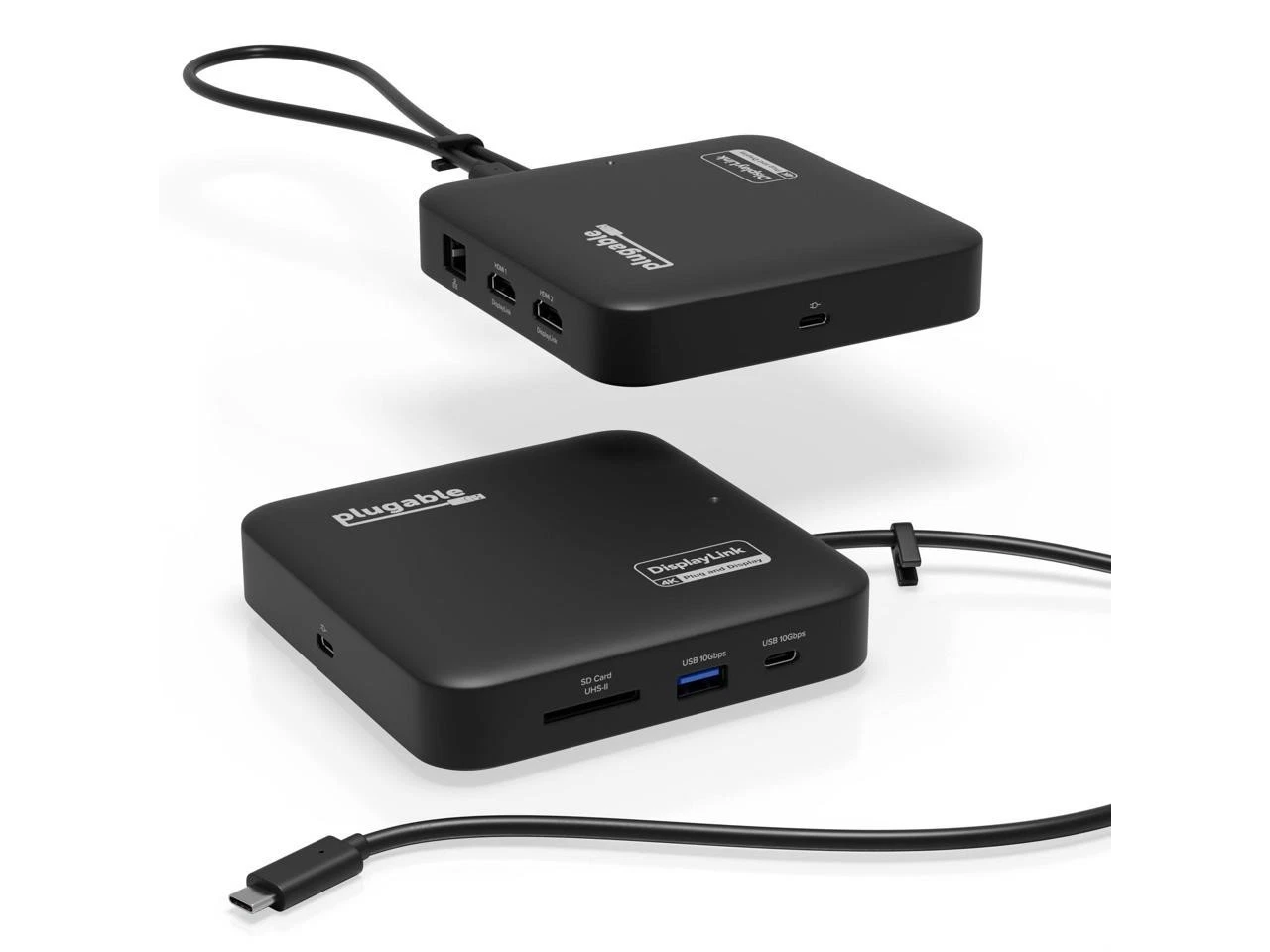
Plugable USB-C Dual HDMI Docking Station
Best multi-monitor hub for professionals needing expanded screen real estate.
This hub is the ultimate multitasker for anyone drowning in tabs, turning a single port into a command center for up to four monitors. While relying on software-driven display technology means it isn't built for high-end gaming or intense video editing, it is an unbeatable productivity hack for office workflows and creative multitasking.


Baseus Nomos Mac Air NU1 Docking Station
Best sleek connectivity solution for minimalist MacBook users.
This portable hub effectively bypasses Apple's display limitations, allowing M1 and M2 MacBooks to drive dual monitors. It trades high-end features like card readers and device charging for a compact, travel-friendly form factor that keeps desk setups tidy.
| Product | Overall rating | Price | Best for | Skip if | Host connection type | Number of display outputs | Max resolution supported | Power delivery wattage | Usb a port type | Usb c port type | Video output port type | Ethernet port speed | Card reader type | Audio port type | Operating system compatibility | Security lock slot | Verdict |
|---|---|---|---|---|---|---|---|---|---|---|---|---|---|---|---|---|---|
|
Top Pick
4.4
|
Best dual-monitor hub for professionals needing streamlined workspace connectivity. |
- |
USB-C |
2.0 |
4K UHD |
80.0 |
USB 3.1 Gen 1, USB 2.0 |
USB 3.2 Gen 2, USB 3.1 Gen 1 |
HDMI, DisplayPort |
Gigabit Ethernet |
SD Card, MicroSD Card |
3.5mm Headphone Jack, 3.5mm Microphone Jack |
Windows, macOS, Linux |
- |
This is the ultimate cable-management solution for turning a minimalist laptop into a full-fledged workstation. While you sacrifice a bit of desk space for the hardware, you gain the massive convenience of dual 4K displays, high-speed data transfers, and reliable charging through a single, clutter-free connection. |
||
|
Runner Up
4.5
|
Best hybrid docking station for professionals needing versatile multi-device connectivity. |
- |
USB-C, Thunderbolt 3, USB-A |
2.0 |
4K UHD |
100.0 |
USB 3.1 Gen 1 |
USB 3.1 Gen 1 |
HDMI, DisplayPort |
Gigabit Ethernet |
- |
3.5mm Headphone Jack, 3.5mm Microphone Jack |
Windows, macOS, ChromeOS |
Yes |
This hybrid dock is the ultimate peacekeeper for mixed-device offices, effortlessly bridging the gap between legacy USB-A gear and modern USB-C laptops. You sacrifice a bit of desk space for the sheer convenience of universal compatibility and high-speed charging, making it a reliable workhorse for any shared workstation. |
||
|
Runner Up
4.4
|
Best multi-monitor hub for professionals needing expanded screen real estate. |
- |
USB-C, USB-A |
4.0 |
4K UHD |
0.0 |
USB 3.0 |
USB 3.1 Gen 1, USB 3.1 Gen 2, USB 3.2 Gen 1, USB 3.2 Gen 2, Thunderbolt 3, Thunderbolt 4 |
HDMI |
Gigabit Ethernet |
SD Card, MicroSD Card |
- |
Windows, macOS |
- |
This hub is the ultimate multitasker for anyone drowning in tabs, turning a single port into a command center for up to four monitors. While relying on software-driven display technology means it isn't built for high-end gaming or intense video editing, it is an unbeatable productivity hack for office workflows and creative multitasking. |
||
|
Runner Up
4.4
|
Best sleek connectivity solution for minimalist MacBook users. |
- |
USB-C |
4.0 |
1440p |
90.0 |
USB 3.0, USB 2.0 |
USB 3.2 Gen 2 |
HDMI, DisplayPort |
Gigabit Ethernet |
- |
- |
macOS |
- |
This portable hub effectively bypasses Apple's display limitations, allowing M1 and M2 MacBooks to drive dual monitors. It trades high-end features like card readers and device charging for a compact, travel-friendly form factor that keeps desk setups tidy. |
Compact Hubs For Travel
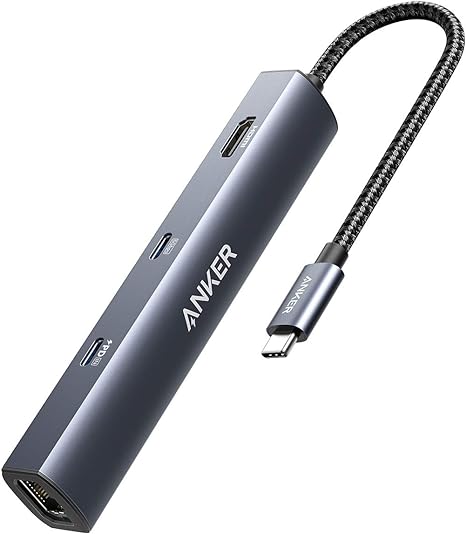

Anker PowerExpand+ USB-C Ethernet Hub
Best portable connectivity solution for modern laptop and tablet users.
This hub is the ultimate fix for the port-starved modern laptop, turning a single USB-C slot into a full-fledged workstation. You sacrifice a bit of desk space for the reliability of wired ethernet and high-speed data, but the trade-off is a seamless, clutter-free setup that actually keeps you productive.
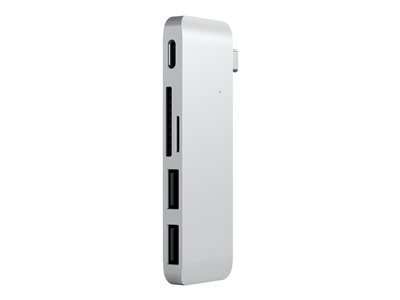

Satechi USB-C Hub
Best portable solution for professionals needing high-speed USB-C connectivity on-the-go.
This hub turns a single port into a high-speed command center without cluttering your desk. You sacrifice the variety of legacy ports for a streamlined, all-USB-C workflow that handles 100W charging and rapid data transfers with ease.
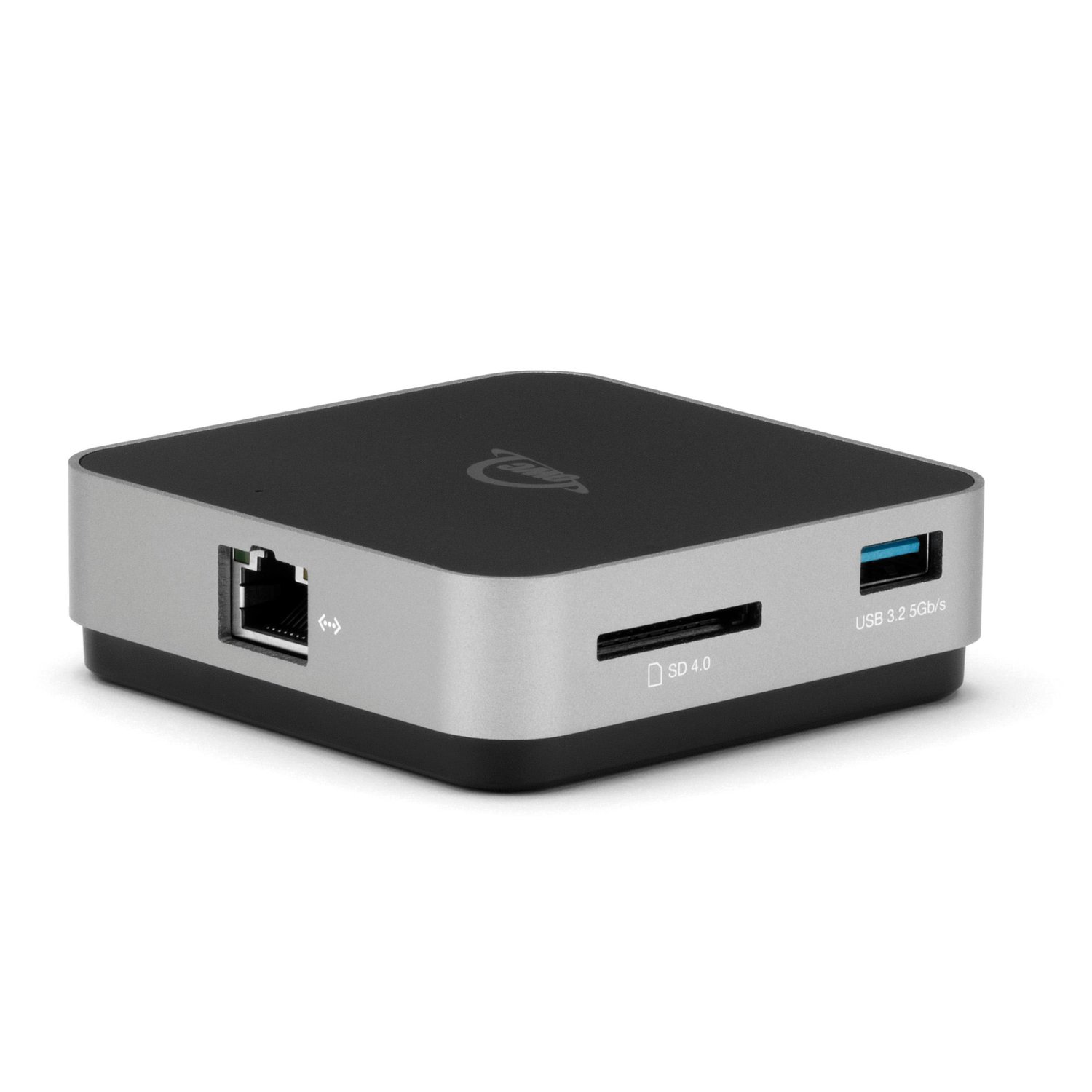
OWC USB-C Travel Dock
Best portable hub for mobile professionals needing reliable connectivity on the go.
This compact USB-C dock offers essential ports for on-the-go productivity, including HDMI, Ethernet, and USB-A. It supports up to 100W power delivery, allowing you to charge your laptop while connected. Its bus-powered option and built-in cable storage make it ideal for travel, though it lacks advanced features like DisplayLink.
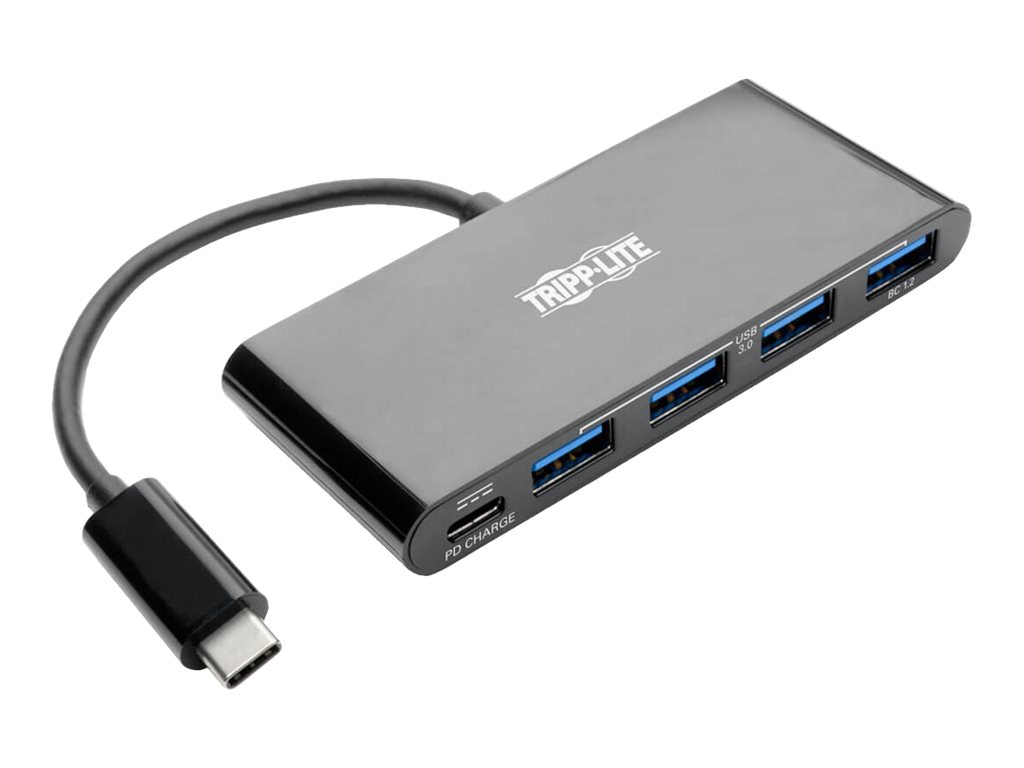
Eaton U460-004-4AB
Best compact hub for expanding laptop connectivity with legacy USB devices.
This hub is the ultimate fix for the modern laptop's port drought, instantly turning one USB-C connection into a four-port workstation. You trade a bit of desk space for the convenience of high-speed data and mobile charging, making it an essential, no-nonsense tool for any mobile professional.
| Product | Overall rating | Price | Best for | Skip if | Host interface type | Number of ports ports | Output port type | Usb standard | Power delivery watts | Data transfer speed gbps | Power source | Cable length feet | Material | Operating system compatibility | Mounting type | Integrated card reader | Verdict |
|---|---|---|---|---|---|---|---|---|---|---|---|---|---|---|---|---|---|
|
Top Pick
4.5
|
Best portable connectivity solution for modern laptop and tablet users. |
- |
USB-C |
5.0 |
USB-A, HDMI, Ethernet |
USB 3.0 |
- |
- |
Bus Powered |
- |
Aluminum |
macOS, Chrome OS |
Portable |
- |
This hub is the ultimate fix for the port-starved modern laptop, turning a single USB-C slot into a full-fledged workstation. You sacrifice a bit of desk space for the reliability of wired ethernet and high-speed data, but the trade-off is a seamless, clutter-free setup that actually keeps you productive. |
||
|
Runner Up
4.7
|
Best portable solution for professionals needing high-speed USB-C connectivity on-the-go. |
- |
USB-C |
4.0 |
USB-C |
USB 3.2 Gen 2 |
100.0 |
10.0 |
Bus Powered |
- |
Aluminum |
Windows, macOS, Linux |
Portable |
- |
This hub turns a single port into a high-speed command center without cluttering your desk. You sacrifice the variety of legacy ports for a streamlined, all-USB-C workflow that handles 100W charging and rapid data transfers with ease. |
||
|
Runner Up
4.5
|
Best portable hub for mobile professionals needing reliable connectivity on the go. |
- |
USB-C, Thunderbolt 3 |
6.0 |
USB-A, USB-C, HDMI, Ethernet, SD Card Slot |
USB 3.0, USB 3.2 Gen 1 |
100.0 |
- |
Bus Powered, External Power Adapter |
- |
- |
Windows, macOS, Android, iPadOS |
Portable |
Yes |
This compact USB-C dock offers essential ports for on-the-go productivity, including HDMI, Ethernet, and USB-A. It supports up to 100W power delivery, allowing you to charge your laptop while connected. Its bus-powered option and built-in cable storage make it ideal for travel, though it lacks advanced features like DisplayLink. |
||
|
Runner Up
4.6
|
Best compact hub for expanding laptop connectivity with legacy USB devices. |
- |
USB-C |
4.0 |
USB-A |
USB 3.0 |
7.5 |
5.0 |
Bus Powered |
- |
Plastic |
Windows, macOS, Chrome OS |
Portable |
- |
This hub is the ultimate fix for the modern laptop's port drought, instantly turning one USB-C connection into a four-port workstation. You trade a bit of desk space for the convenience of high-speed data and mobile charging, making it an essential, no-nonsense tool for any mobile professional. |
Metto aggregates product information from across the web and recommended based on criteria. When you buy through our links, we may earn a commission.
Continue with a custom search...
Use what you learned in this guide to find more products tailored to your preferences and priorities.

Stay in the loop
New feature alerts, shopping guides and suggested products delivered straight to your inbox.
Thanks for subscribing! We'll keep you up to date.

Stay in the loop
New feature alerts, shopping guides and suggested products delivered straight to your inbox.
Thanks for subscribing! We'll keep you up to date.